




With the rapid development of artificial intelligence, DeepSeek has become a popular AI model for developers and businesses, especially for foreign trade websites, cross-border e-commerce, and automated content generation. For users running services on Hostinger VPS, deploying DeepSeek efficiently can greatly improve productivity. This guide walks through the complete process from installing Ollama to optimizing DeepSeek performance.
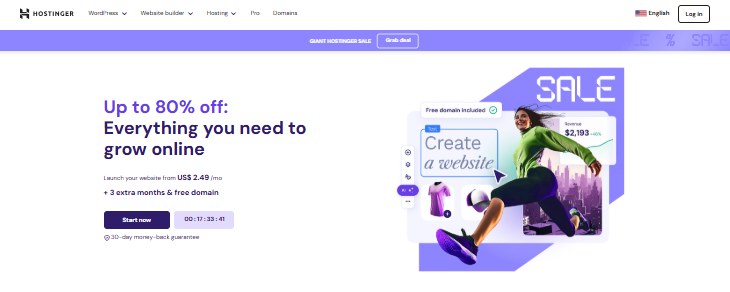
Hostinger Official Website: Hostinger – Bring Your Idea Online With a Website
1. Requirements for Running DeepSeek on Hostinger VPS
DeepSeek requires sufficient hardware resources for smooth performance. Recommended minimum configuration:
- CPU: 4 cores or higher
- RAM: 16GB or more
- Storage: 12GB+ available space
- OS: Ubuntu / Debian / CentOS / RockyLinux
If your current server does not meet the requirements, you can upgrade to a Hostinger VPS plan. Entry plans are affordable and support NVMe SSD, KVM virtualization, and one-click OS deployment, which makes AI setup easier.
Recommended Hostinger VPS Plans
| Plan | CPU | RAM | NVMe | Traffic | Price / month |
|---|---|---|---|---|---|
| KVM 1 | 1 Core | 4GB | 50GB | 14TB | ¥35.99 |
| KVM 2 | 2 Core | 8GB | 100GB | 8TB | ¥42.99 |
| KVM 4 | 4 Core | 16GB | 200GB | 16TB | ¥74.99 |
| KVM 8 | 8 Core | 32GB | 400GB | 32TB | ¥142.99 |
👉 Buy Hostinger VPS (Coupon: NYSALE)
2. Install Ollama (Required for DeepSeek)
- Update system
sudo apt update - Install dependencies
sudo apt install python3 python3-pip python3-venv - Install Ollama
curl -fsSL https://ollama.com/install.sh | sh - Create virtual environment
python3 -m venv ~/ollama-webui && source ~/ollama-webui/bin/activate - Install Web UI
pip install open-webui - Run screen session
screen -S ollama - Start Web UI
open-webui serve - Open browser
http://YOUR_IP:8080
3. Install DeepSeek Model
- Download model
ollama run deepseek-r1:7b - Wait for download (~5GB)
- Check installed models
ollama list - Restart UI
open-webui serve
4. Test DeepSeek
- Open WebUI
- Create account
- Select DeepSeek model
- Send test prompt
If responses are slow, upgrade CPU/RAM or reduce token size.
5. Optimize DeepSeek Performance
- Streaming: faster output, more CPU
- Temperature: creativity level
- Reasoning: accuracy level
- Max tokens: response length
Example Settings
Temperature: 0.2
Reasoning: 80
Max tokens: 512
6. Auto Start DeepSeek with systemd
nano /etc/systemd/system/deepseek.service
[Unit]
Description=DeepSeek AI
After=network.target

[Service]
ExecStart=/root/ollama-webui/bin/open-webui serve
Restart=always

[Install]
WantedBy=multi-user.target
systemctl enable deepseek
systemctl start deepseek
Summary
Hostinger VPS provides a simple and powerful environment for running DeepSeek. With Ollama + OpenWebUI, you can deploy your own AI assistant for e-commerce, automation, or content generation.
👉 Get Hostinger VPS (Coupon: NYSALE)






 高性价比四川高防


评论前必须登录!
立即登录 注册